Pre-acceptance is a feature that allows you to indicate your interest in an offer before it is officially sent to you. This process optimizes the distribution of substitute assignments while respecting collective agreements and the internal policies of your educational establishment.
 How pre-acceptance works? How pre-acceptance works? |
 Caution, pre-accepting a remplacement offer does not mean you have been assigned the remplacement. To secure the assignment, you must wait to receive the confirmation email and see the request marked as Accepted in Scolago.
Two methods are available to pre-accept an remplacement offer: one at the Home module and the second within the Replacements module.
 Pre-accept an offer from the Home module Pre-accept an offer from the Home module |

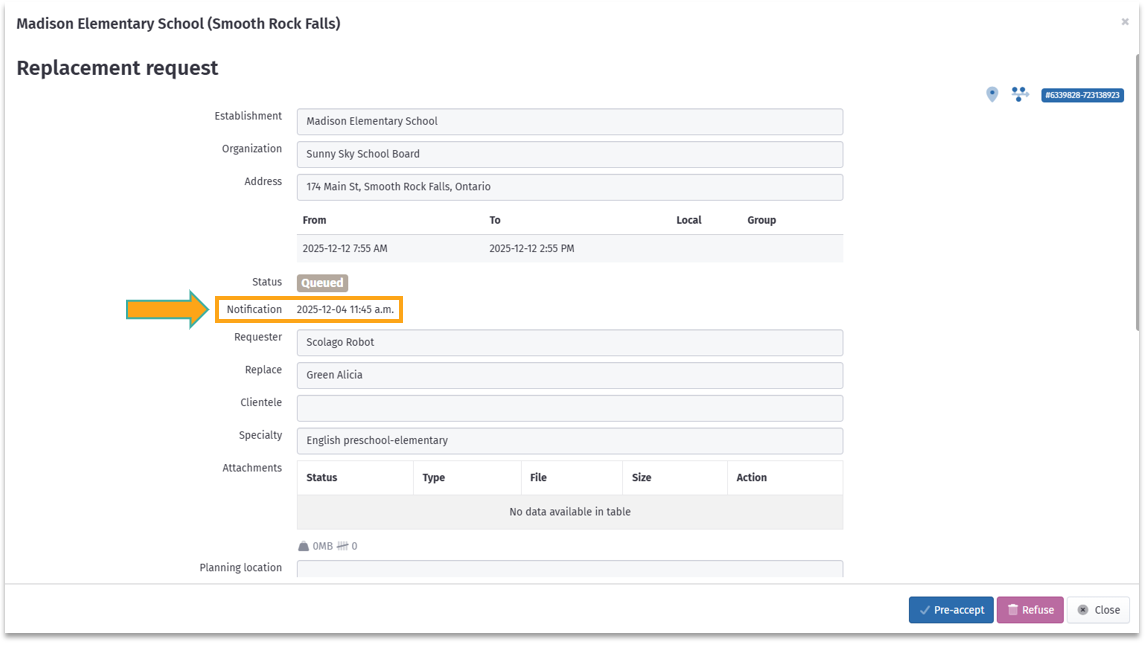
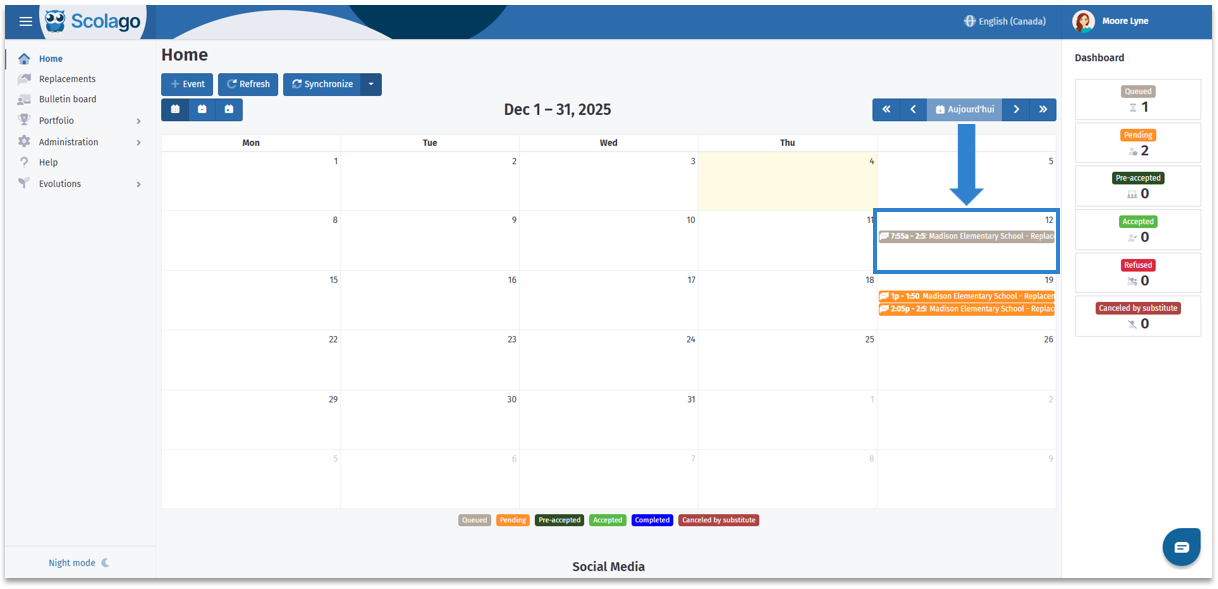
Go to the Home module, then locate and click on the replacement offer with the status Queued.

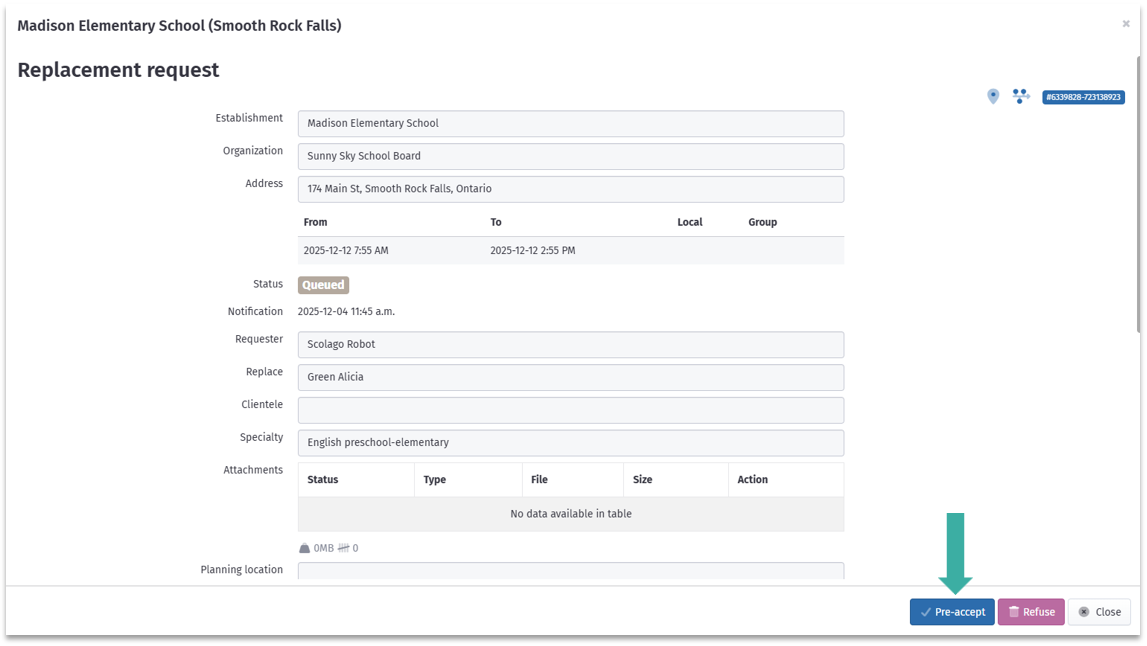
A window will open with the offer details. At the bottom of the window, click on the Pre-accept button.

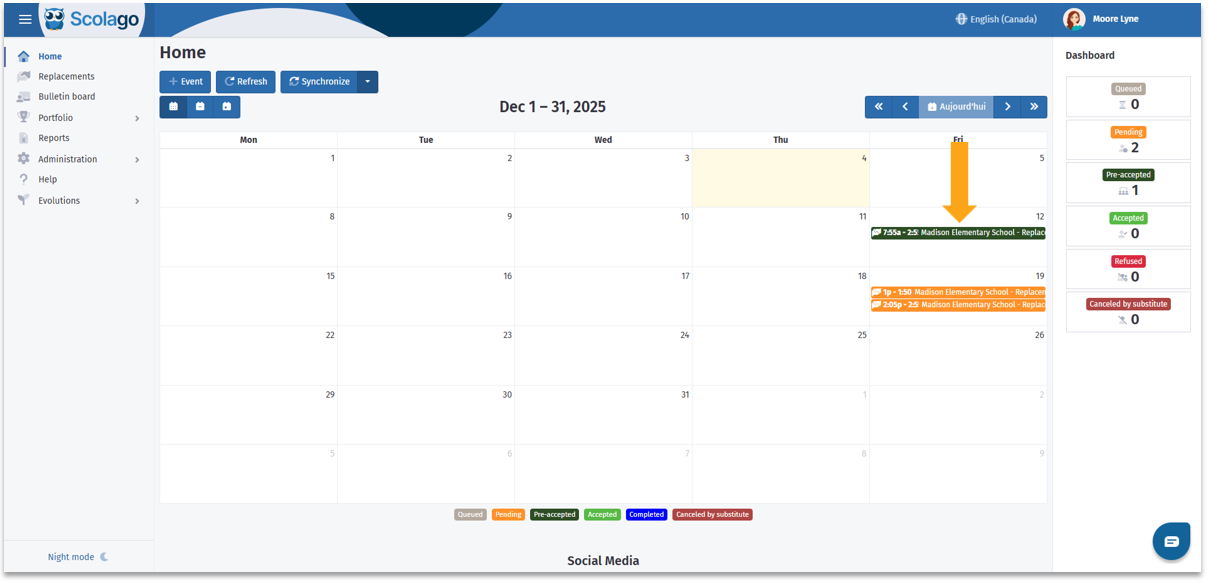
The offer will change to the status Pre-accepted with a forest green badge.
| Pre-accept an offer from the Replacements module |

Go to the Replacements module and access the Offers tab if necessary.
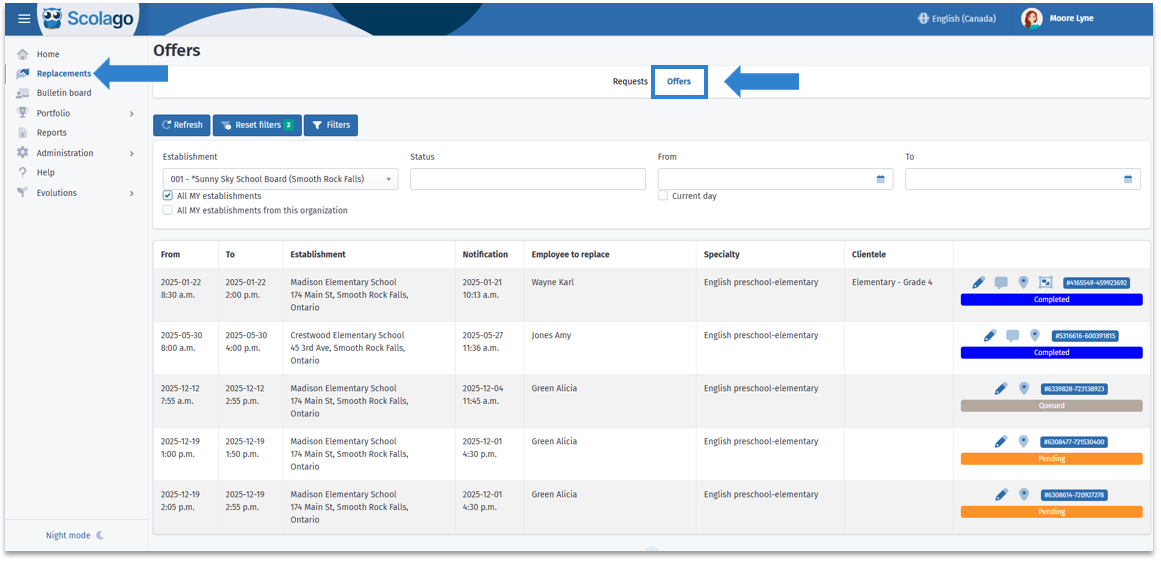

Then, filter the offers by the status Queued to locate them more easily, and click on the pencil icon to open the details of an offer. 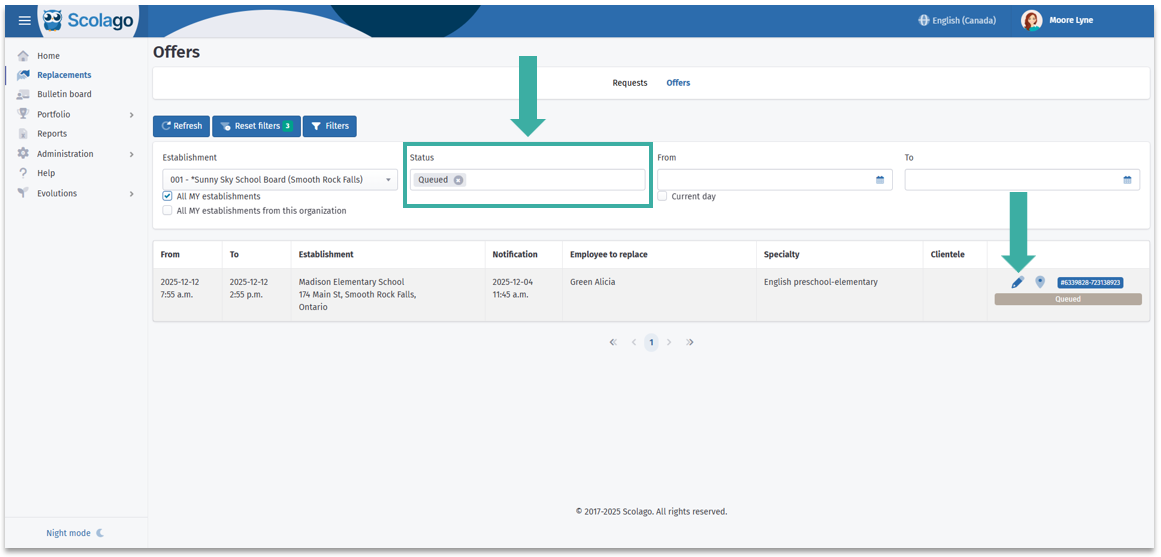

A window will appear with the offer details. At the bottom of the window, click on Pre-accept.
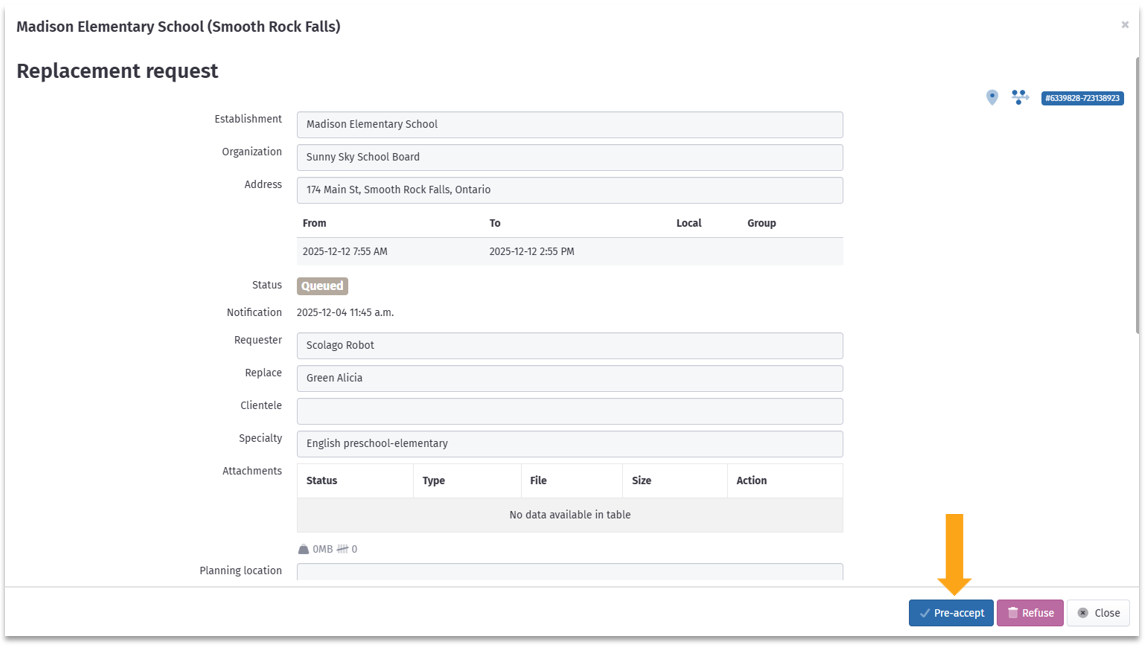

The offer will change to the status Pre-accepted with a forest green badge.


To view the procedures explained above, click on this link: Video: Substitute - How does Pre-acceptance work?
| Additional pre-acceptance settings |
Depending on the settings chosen by your establishments, you might see an additional field in the replacement offer details, specifically the one named If the replacement is not filled as of this date, candidates who have pre-accepted will be assigned in priority according to the call priorities.
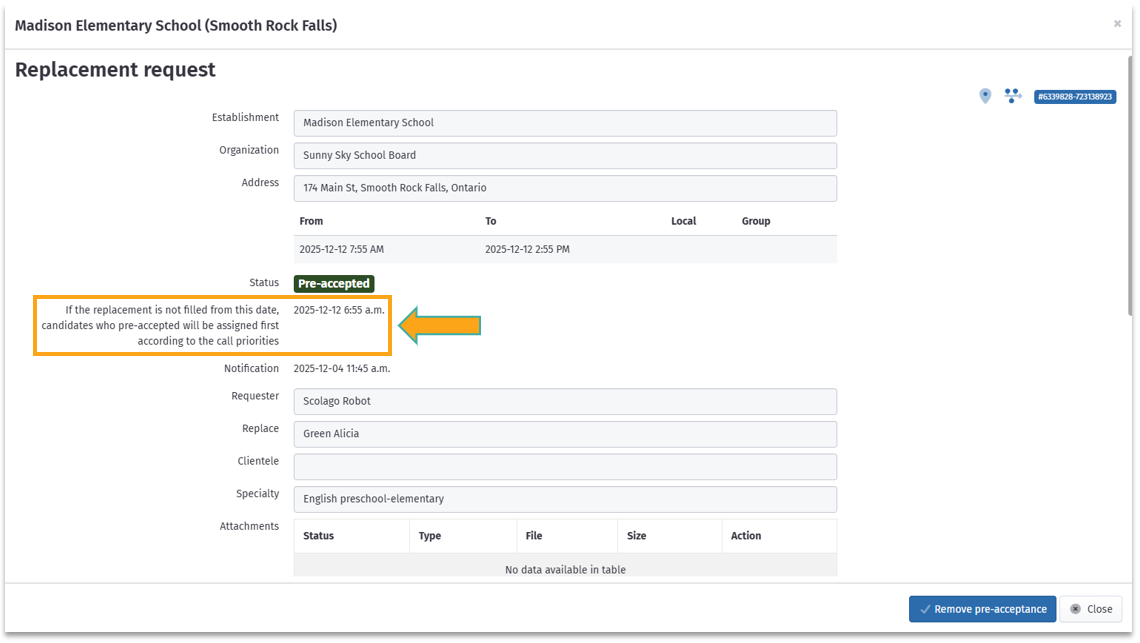
To avoid an unfilled replacement, establishments can set up automatic assignment by taking into account the pre-acceptances of replacements not yet notified at the indicated date and time. While respecting the order of priority, this prevents a replacement from being without a substitute.
For more information, do not hesitate to contact your administrator. Their contact information can be found in the
Help of the plateform.
Was this article helpful?
That’s Great!
Thank you for your feedback
Sorry! We couldn't be helpful
Thank you for your feedback
Feedback sent
We appreciate your effort and will try to fix the article