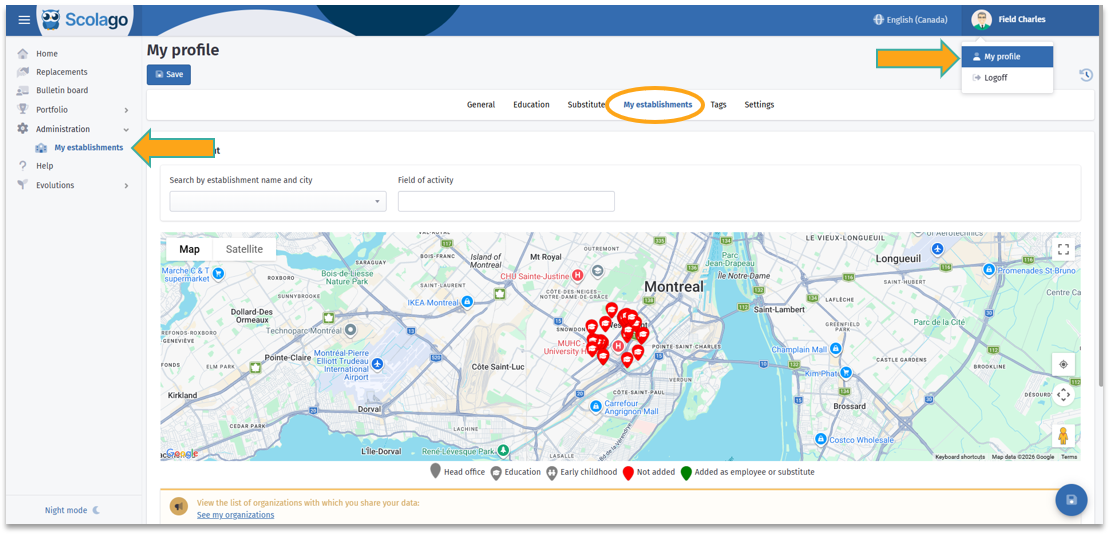
If you want to add one or more establishments to your profile, you must first access the My establishments module, which can be found in the dropdown menu under the Administration module or under the My establishments tab in My profile.
 | For more details on the My establishments module, consult this article: All - Overview of the 'My establishments' module. |
Adjust the domain you'd like to work in as a substitute using the Field of activity box. 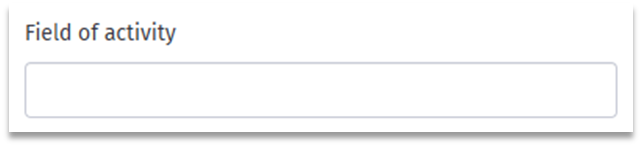
From there, several options are available to you.
 Interactive map Interactive map |
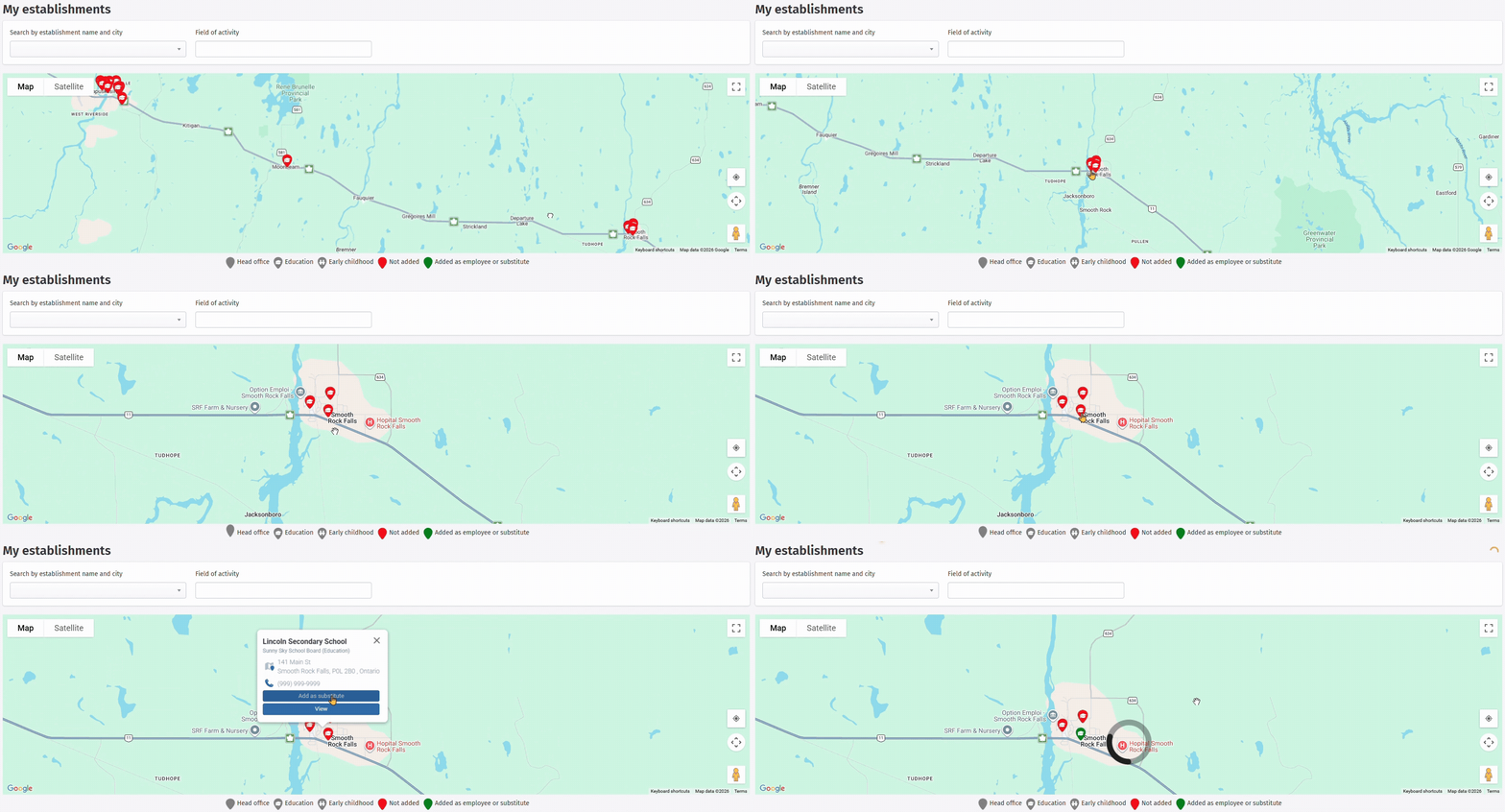
You can move the map to the desired location, then click on the red flags representing establishments and select Add as substitute. This will allow you to easily choose establishments based on their location.
 Search bar Search bar |
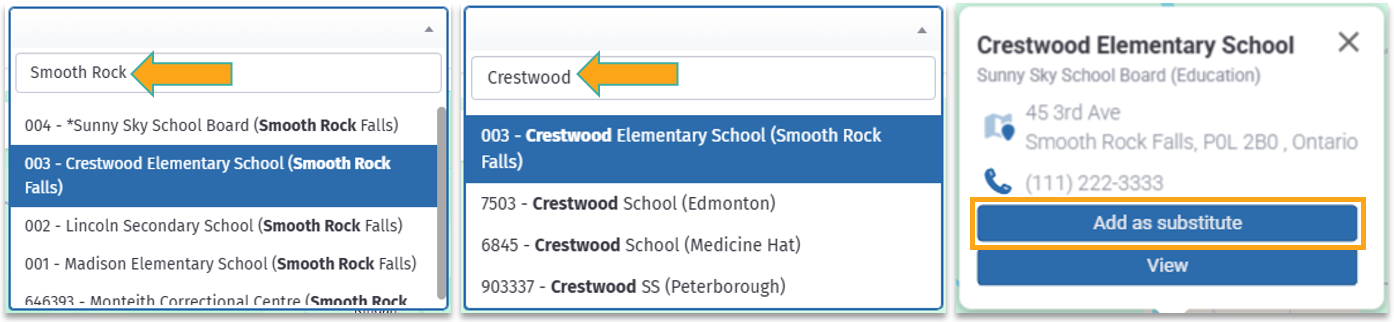
You can also use the search bar to enter the name of the establishment you wish to add.

Click on this link to watch a video on adding an establishment: Video: All - How to add an establishment?.
 Add multiple establishments at once Add multiple establishments at once |
Depending on the organization's settings, you may be able to add yourself to a few establishments simultaneously, or to all of its establishments.
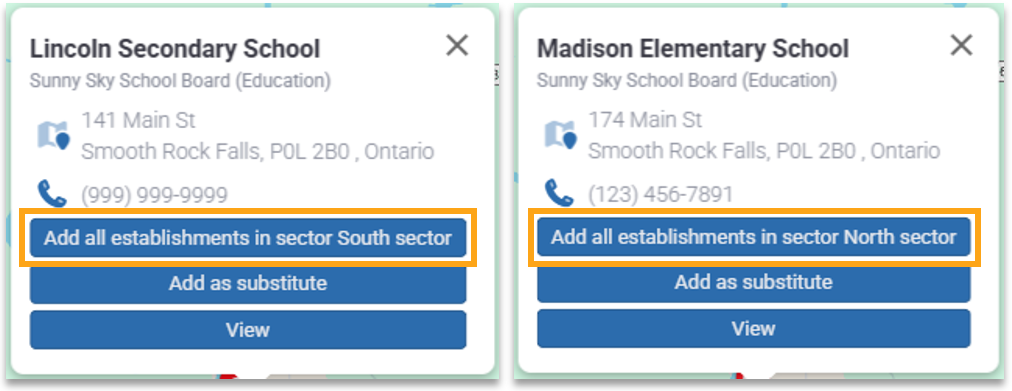
Indeed, an organization's establishments can be divided into sectors. This allows you to add all nearby establishments, regardless of which establishment you are searching from. To do this, find an establishment you wish to add and click on the Add all establishments in the sector button.
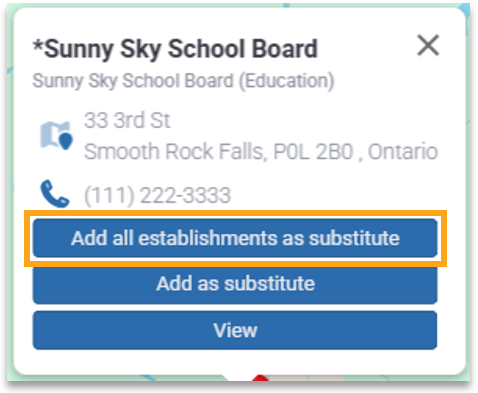
If you would rather add yourself to all of an organization's establishments, search for the establishment with the organization's name and click the Add all establishments as substitute button.
 | Here is an explanatory video on this two possibilities: Video: Substitute - How to add yourself as a substitute to multiple establishments within the same organization?. |
Please note that some establishments shown on the map may belong to an organization that does not use Scolago for recruitment or replacement assignments. 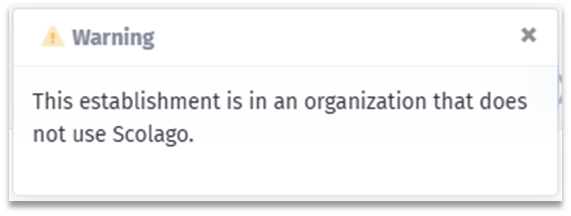 If needed, contact the organization using the details provided in the Help module or via their official website. |
Was this article helpful?
That’s Great!
Thank you for your feedback
Sorry! We couldn't be helpful
Thank you for your feedback
Feedback sent
We appreciate your effort and will try to fix the article